
Pledges and payments · Step 2 of 5
Read the generated schedule and the two statuses Mich keeps on a pledge.
Saving a pledge generates its installments. Open any pledge to see them.
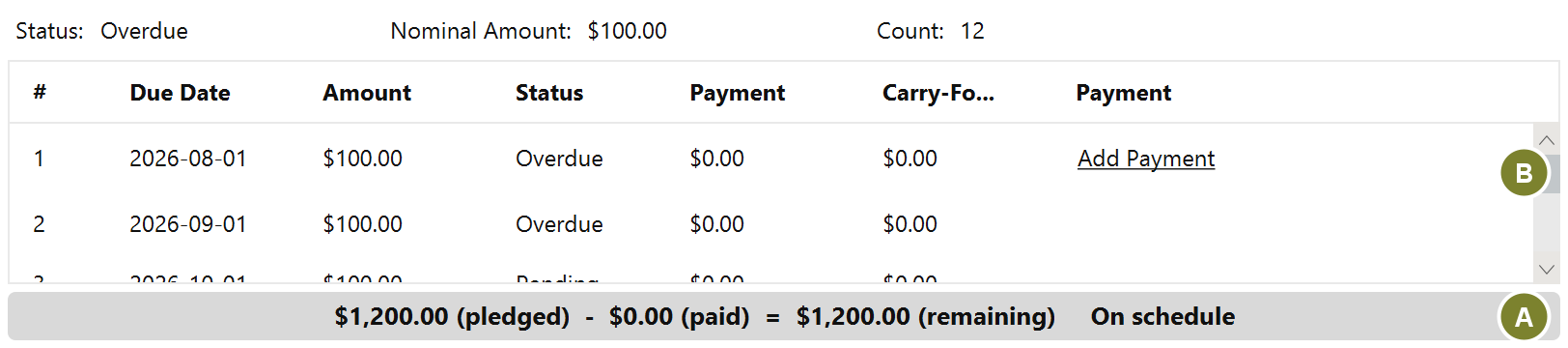
The summary line (A) gives the count and the per-installment amount at a glance. In the table (B), each row is one expected payment: its number, due date, amount and whether it has been paid.
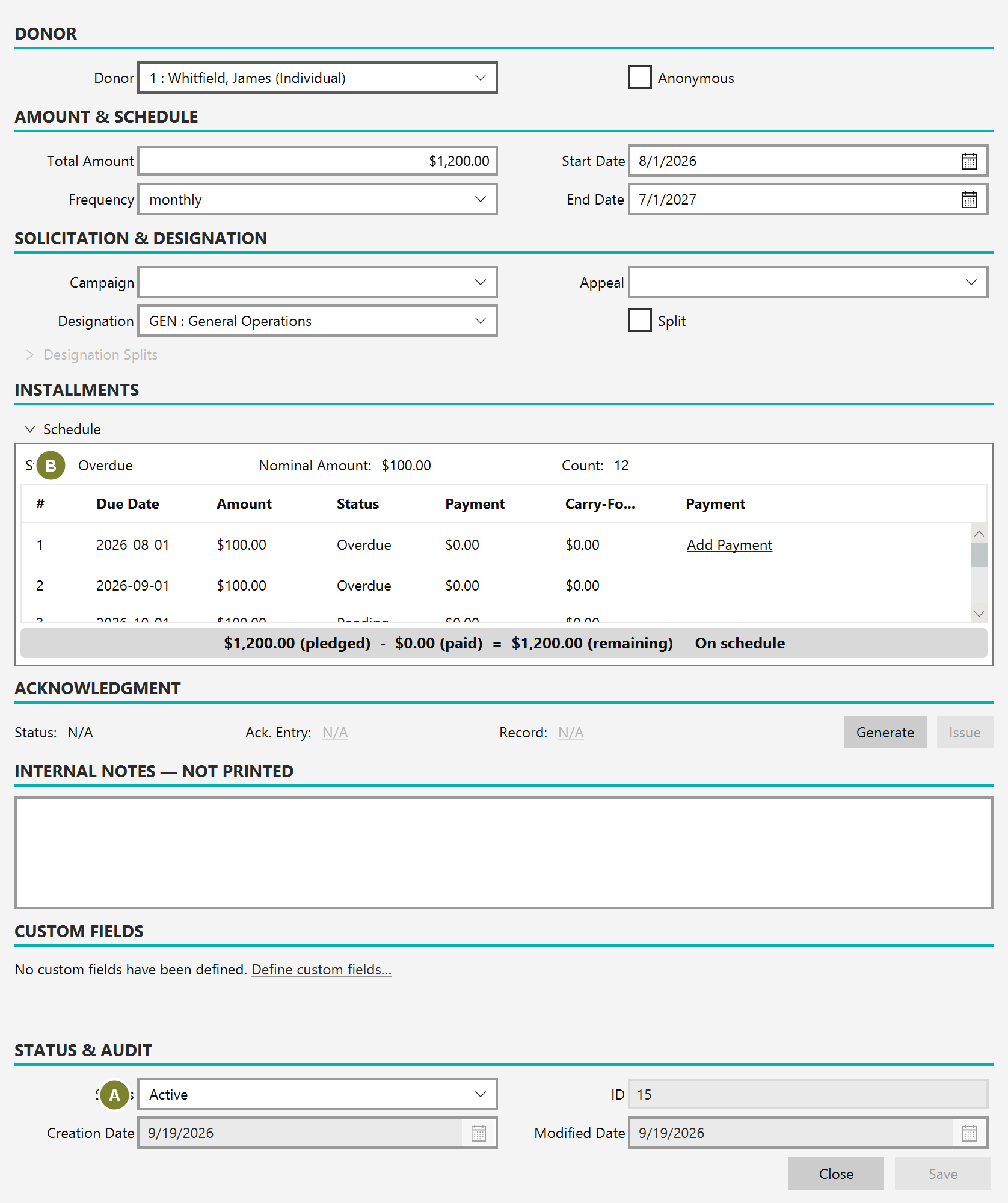
These answer different questions and it is worth not conflating them:
Payment status is derived, not typed. Mich recalculates it as dates pass, so a pledge becomes overdue on its own without anyone remembering to mark it.