
Getting started · Step 5 of 5
Choose where backups are written, how often they run, and how many are kept.
Your database is a file on this computer. Nobody else is holding a copy, which is the point of Mich and also the reason backups are worth five minutes on day one.
Go to Settings, then Database.
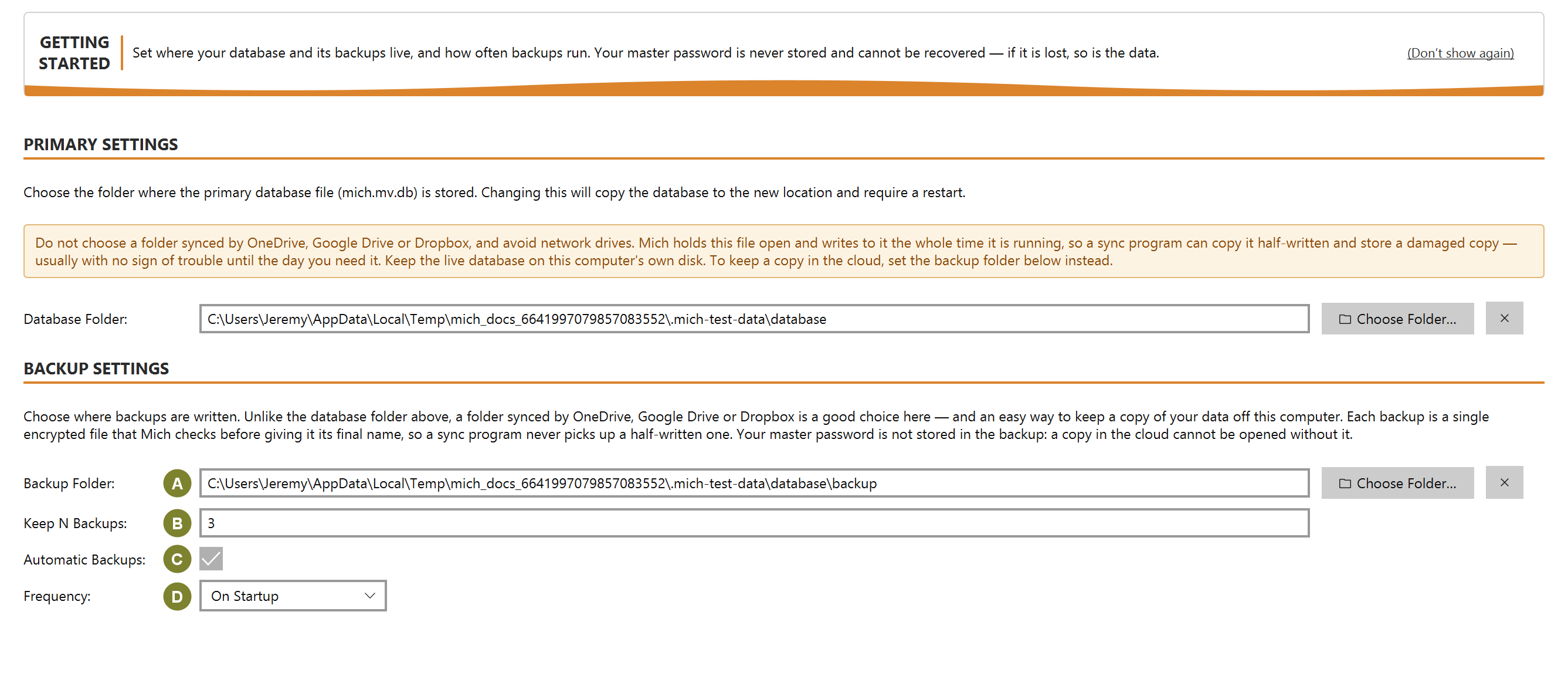
| Setting | What it does |
|---|---|
| Backup Folder (A) | Where backup files are written |
| Keep N Backups (B) | How many to retain; older ones are removed as new ones succeed |
| Automatic Backups (C) | Whether Mich backs up on its own |
| Frequency (D) | How often it does so |
Choose a backup folder on a different drive from the database if you can. A backup beside the original protects you from mistakes, but not from losing the disk.
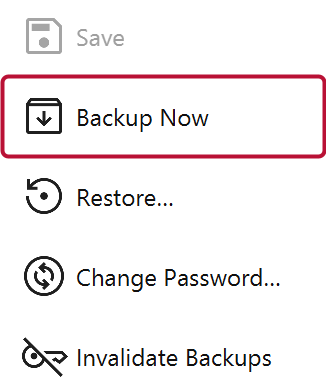
Click Backup Now to confirm the setup works rather than assuming it.
Every backup is verified before it counts as one: Mich reopens the file it just wrote and checks it reads back cleanly. A backup that fails that check never takes the final name, so a broken file cannot quietly masquerade as a good one.
Backups carry the encryption they were made with. If you change your master password, existing backups still need the old one, and Mich offers to re-encrypt them at the time. A backup you cannot decrypt is not a backup.