
Donations · Step 2 of 6
Divide one donation between several designations without losing a penny.
One check often supports more than one thing. Rather than entering it several times, record it once and split it.
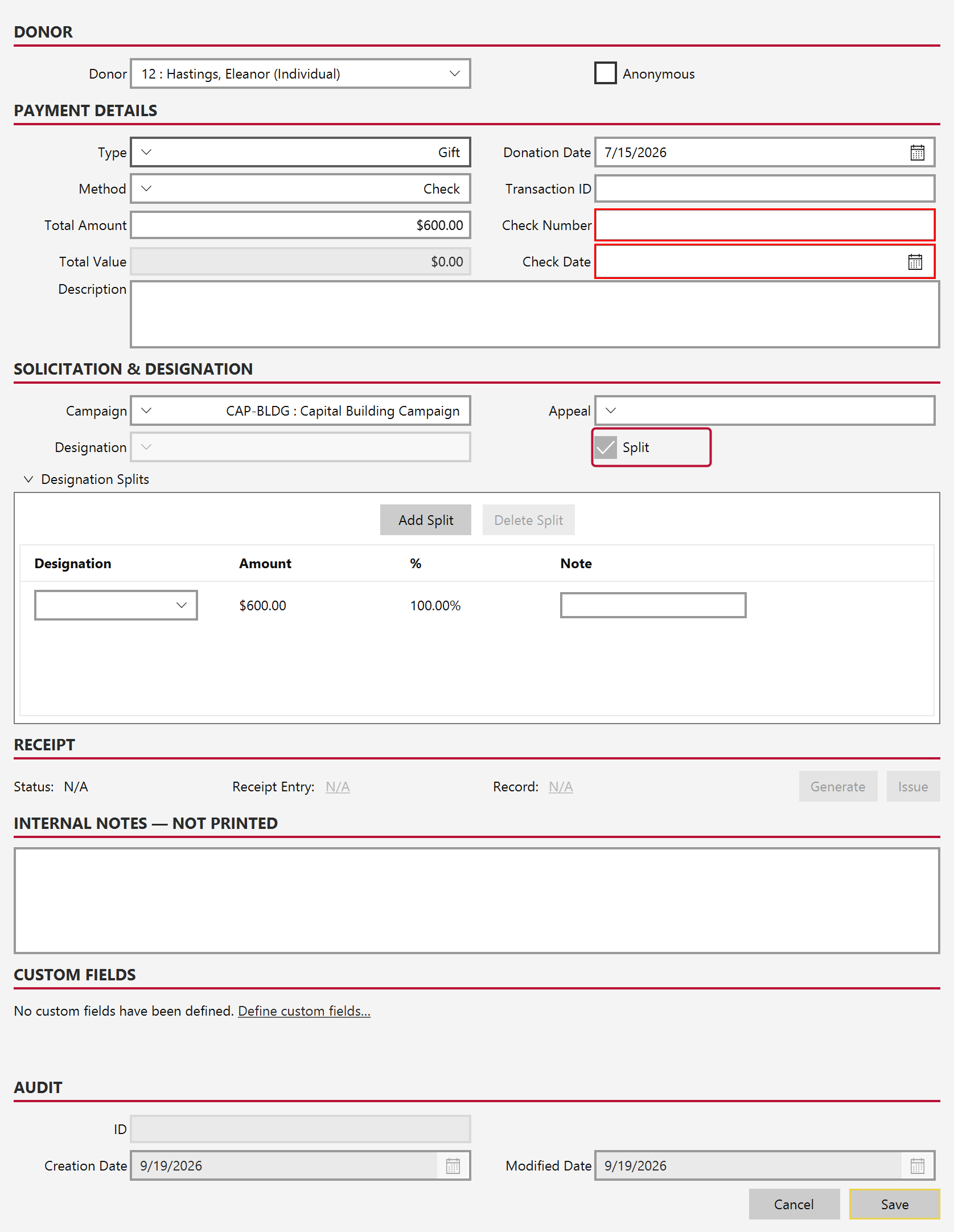
Fill in the donor, amount and payment details as usual, then tick Split.
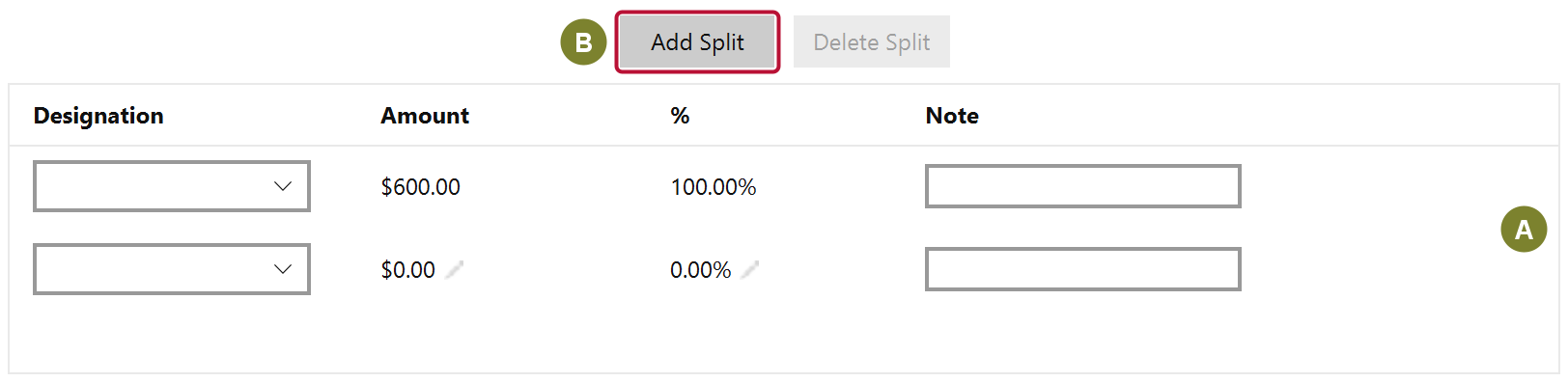
Use Add Split (B) for each additional fund, and Delete Split to remove one.
The first row of the splits table (A) is special: it is the default and adjusts itself to absorb whatever the other rows do not account for. That is what stops a split from silently losing money. Set the amounts on the rows you care about and the remainder settles into the first.
Mich will not save until the rows add up to the gift total, so a split can never be partly entered.