
Reports · Step 3 of 4
Total giving grouped by drive or by designation over a date range.
This report answers the two questions boards ask: how did the drive do, and how much came in for that fund?
Go to Reports, then Campaign / Designation Summary.

Group By (A) switches the whole report between the two views. Same gifts, different question. The From (B) and To (C) dates bound the period it covers.
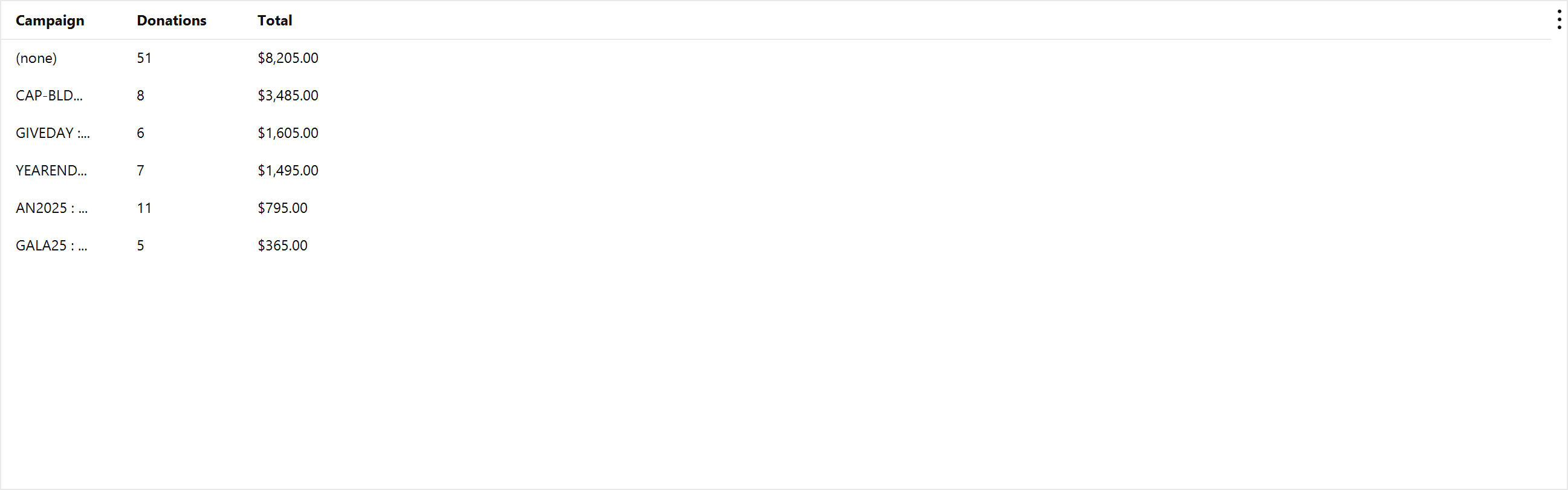
Each row gives the count and total for one campaign or one designation over the range.
Grouping by designation is the one to reach for when you need to show that restricted money went where it was meant to.