
Reports · Step 2 of 4
See what each donor promised, what they have paid, and what remains.
The report to run when you need to know who is behind.
Go to Reports, then Donor Pledges. Set a donor or leave it blank for everyone, tick Show Totals, and click Run Report.
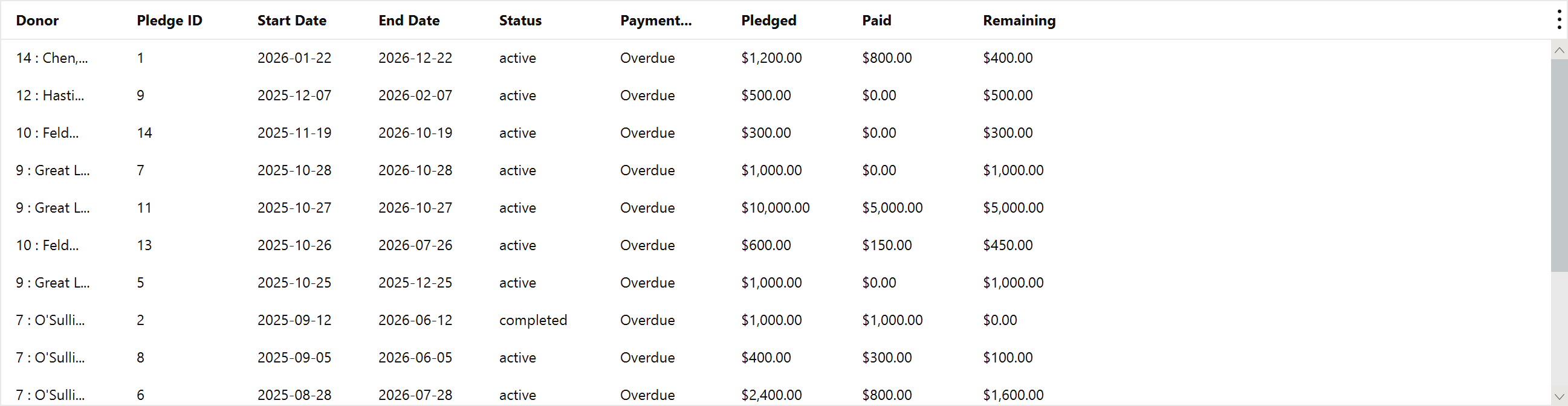
Pledged, Paid and Remaining are the three figures that matter. Payment Status is derived from the schedule and the current date, so an overdue pledge shows as overdue without anyone having marked it.
Export it to CSV and you have a call list.