
Reports · Step 1 of 4
List everything one donor has given over a date range, with totals.
This is the report to run before a thank-you call or an ask: everything one donor has given, over a period you choose.
Go to Reports, then the Donor Giving tab.

Leave Donor (A) blank to include everyone. Show Totals (D) adds a totals row at the bottom.
The From (B) and To (C) dates work the same way across every report: leave one blank and that end of the range is open.
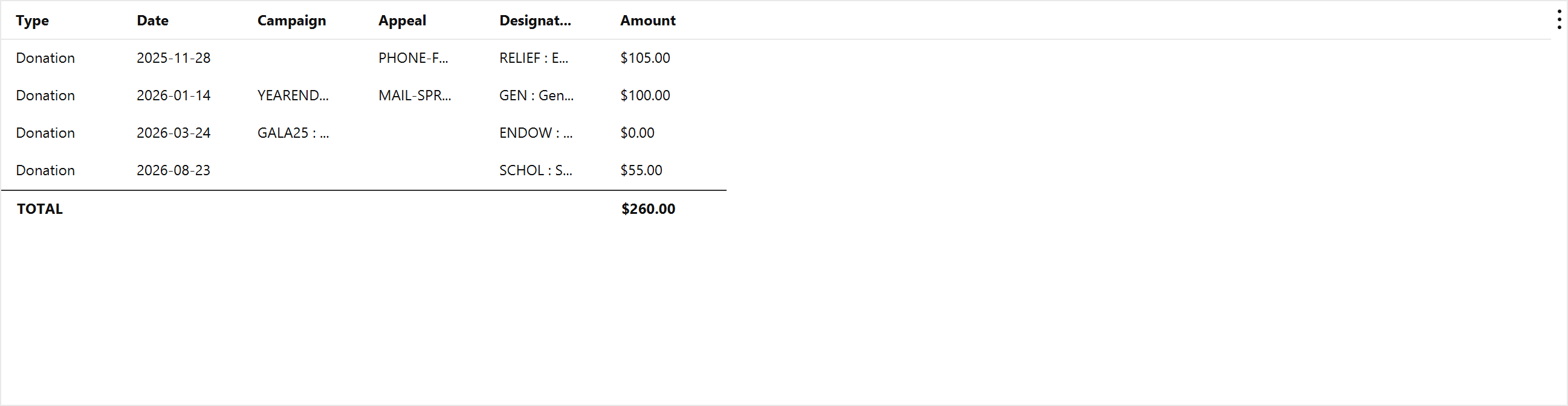
Export CSV writes the result to a file, and Mich asks where to save it. The export is the report as run, filters and all, so it opens in a spreadsheet exactly as it appears here.
Print sends the same result to a printer.
The Add Filter button builds the same stacked filter rows as the list views, on top of the query panel above. See Find a donor for how those rows work.