
Funds and campaigns · Step 1 of 3
Add a fund that gifts can be restricted to, and understand why these come first.
A designation, often called a fund, records what a gift is allowed to be used for. It is the single most important thing to set up before you start recording money.
A designation records donor intent. A restricted gift must be used for what the donor intended; that is a promise your organization made when it accepted the money.
The practical consequence: a gift recorded with no designation cannot be cleanly re-attributed later. Nobody can reconstruct, months on, which fund a payment was meant for. Fund reporting is only ever as good as what was captured at the moment of entry.
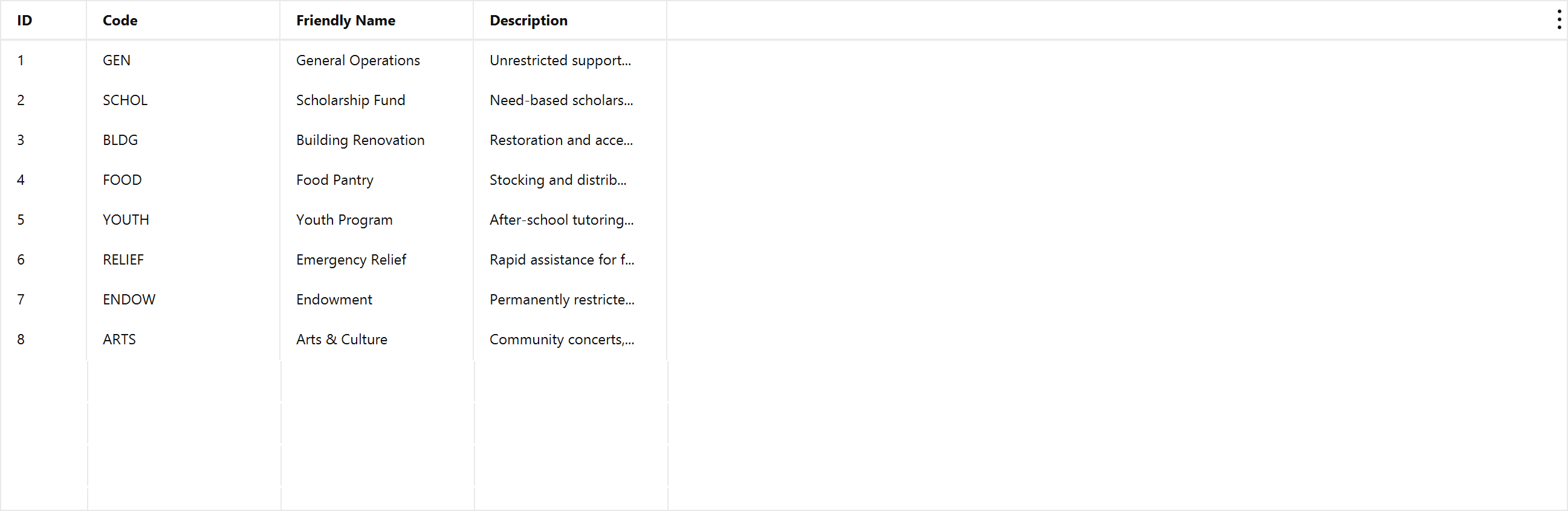
Click Add.
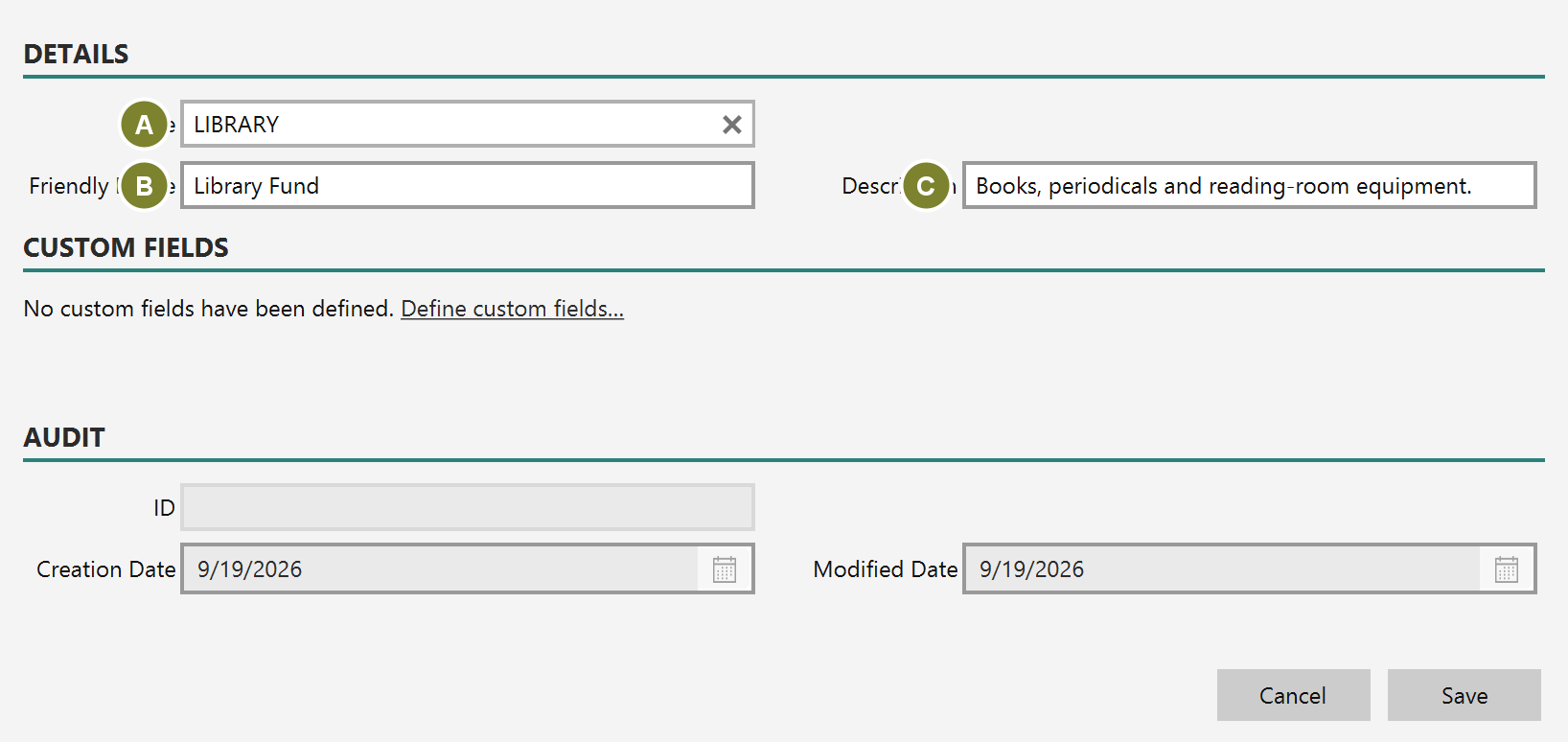
Code (A) is the short identifier you pick from dropdowns when recording a gift; keep it brief and stable. Friendly Name (B) is what appears on reports and documents. Description (C) is for your own reference.
Codes must be unique. Mich tells you if you reuse one rather than silently creating a duplicate.
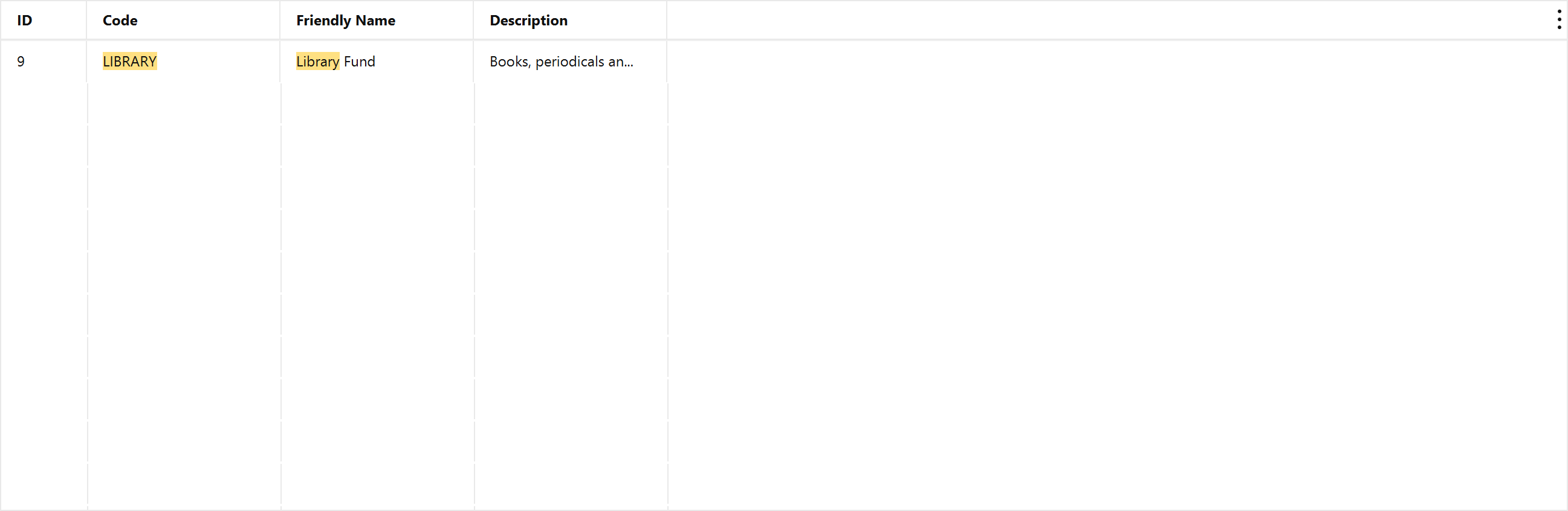
The fund is now available in the Designation dropdown on every donation, pledge and pledge payment.
A designation that gifts point at cannot be deleted; Mich blocks it rather than orphaning the history. If a fund is no longer in use, leave it. Its past gifts still need somewhere to belong.
If you are bringing gifts in from a spreadsheet, you do not have to create every designation here first. The import wizard lists each distinct value in your file once, matches what it can, and offers to create the rest — see Import donations from a spreadsheet.
Read that step rather than clicking past it. A value is offered for creation because it matched nothing, and that happens just as easily when you already have the fund under a slightly different name: Bldg Fund and Building Fund are two different things to Mich. Accept both and every report afterwards splits between them.
Undoing the import does not remove what it created. The undo deletes the imported gifts, not the designations created along the way — you may already have attributed a later gift to one. If you undo and do not want them, delete them here.