
Events · Step 3 of 5
Build the invitation list and record how each donor replies.
Select the event and click Invitees & RSVP.
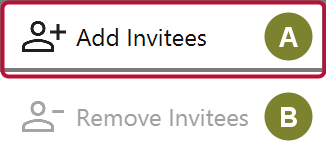
Add Invitees (A) opens a picker to choose donors from your database. Remove Invitees (B) takes them off the list again.
Each invitee carries an RSVP and a party size.
| RSVP | Meaning |
|---|---|
| Invited | Asked, no reply yet |
| Accepted | Coming |
| Declined | Not coming |
| Tentative | Maybe |
| No Response | Asked and chased, still nothing |
Party size is how many people that invitation covers, including the donor. It cannot exceed the event's guest limit, which is what keeps your headcount honest.
Create HTML Invitation builds an invitation from your template, which you can preview and print or paste into your own email. Email Invitation sends it directly, if email is configured in Settings. Check Delivery then reports whether it arrived, bounced, was blocked or was reported as spam. What it can tell you depends on your provider and plan — see Create an HTML receipt for the differences between Resend, Mailgun and SendGrid.