
Customization · Step 1 of 4
Define your own fields on donors, gifts, pledges, funds, campaigns and appeals.
Every organization tracks something the others do not. Custom fields cover it without a code change.
Go to Settings, then Customization.
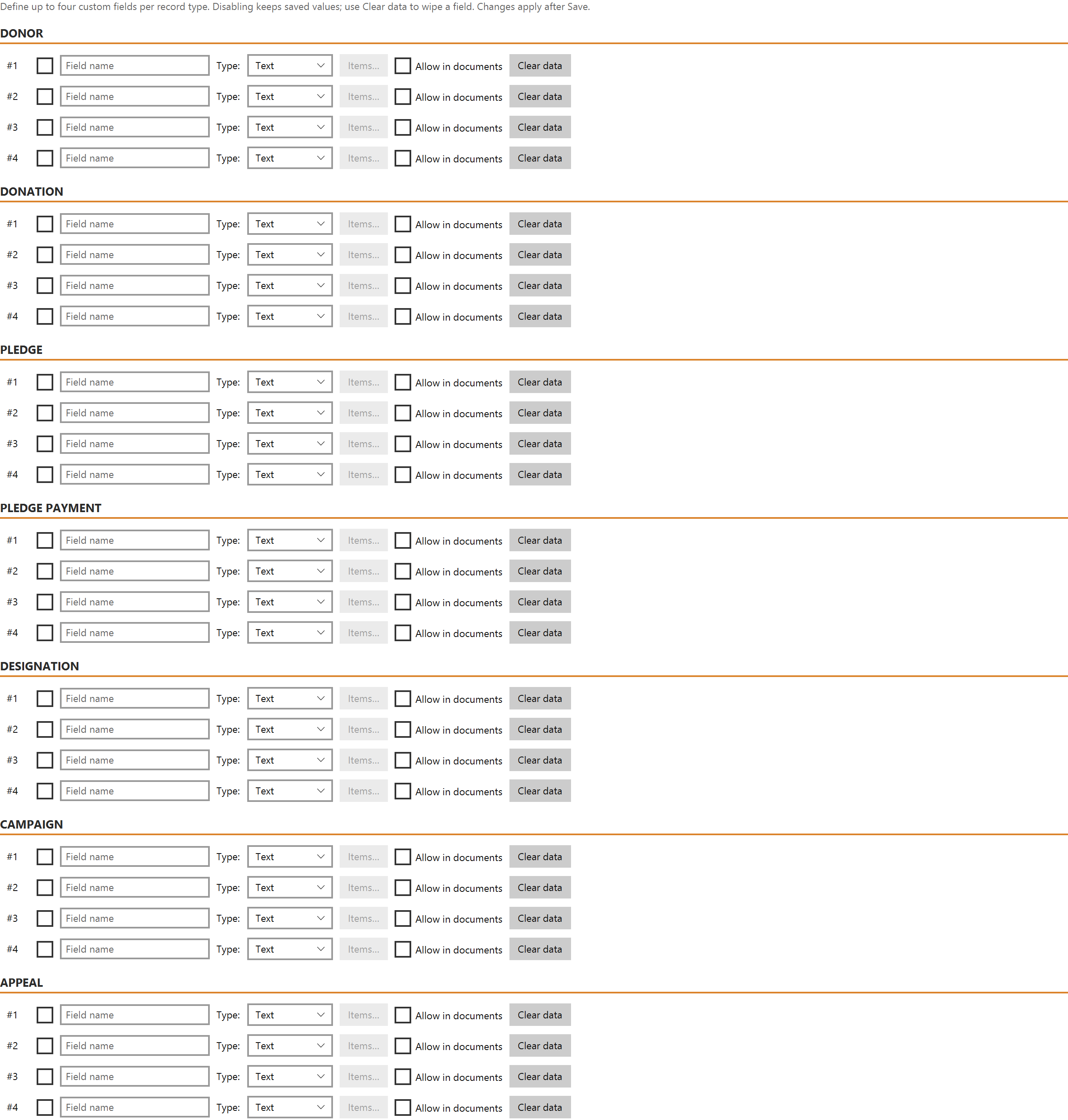
Fields can be added to seven record types: donor, donation, pledge, pledge payment, designation, campaign and appeal.
| Type | Use for |
|---|---|
| Text | Free text |
| Number | Counts and quantities |
| Currency | Money |
| Date | Dates |
| Checkbox | Yes or no |
| Dropdown | A fixed list you define |
Currency is worth choosing over Text for money. Currency custom fields are stored the same way as every other amount in Mich, in the currency's smallest unit, so changing your organization's currency re-renders them correctly instead of corrupting them. A money value typed into a Text field is just a string, and will not add up.
A defined field shows in the Custom Fields section of that record type's form, becomes filterable in its list view, and is available as a merge token for your document templates.
You do not have to set a field up here first. If you import a spreadsheet with a column Mich has no field for, map it to Custom 1–4 and the wizard offers to create the field, named after your column heading — see Import donors from a spreadsheet.
It also picks the type from what is in the column: repeating values become a Dropdown already filled with them, dates become a Date field, numbers a Number. You can override the choice in the wizard. Amounts are the one thing it will not guess — set those to Currency yourself, for the reason above.
Two differences from a field you create here: